Drop a prototype, get a private URL
A self-serve prototype host for the GuardianCare design team. Drag an HTML file or folder onto a private dashboard, and it's live at its own login-protected URL within seconds. Stakeholders review the real clickable thing, not a screenshot.
Sharing a prototype at GuardianCare meant one of two things: a Figma link that someone had to know how to navigate, or a zip file and the words "open index.html." My co-founder finally asked why I kept sending him files he had to save and open locally with no good way to organize them. Perché, "why" in Italian, became the name. The X is my initial. The "perch" part is what the tool does: files just land somewhere and sit.
What the team needed was closer to "here's a URL, click it, tell me what you think." Private, behind a login, and up in the time it takes to name it.
The whole dashboard is a drag-and-drop target. You name the site, drop the files, and click Publish. A few seconds later it's live at name.perchex.dev, behind the same email-code login the dashboard uses. Publishing the same name again overwrites what was there before, and the delete button actually means it.
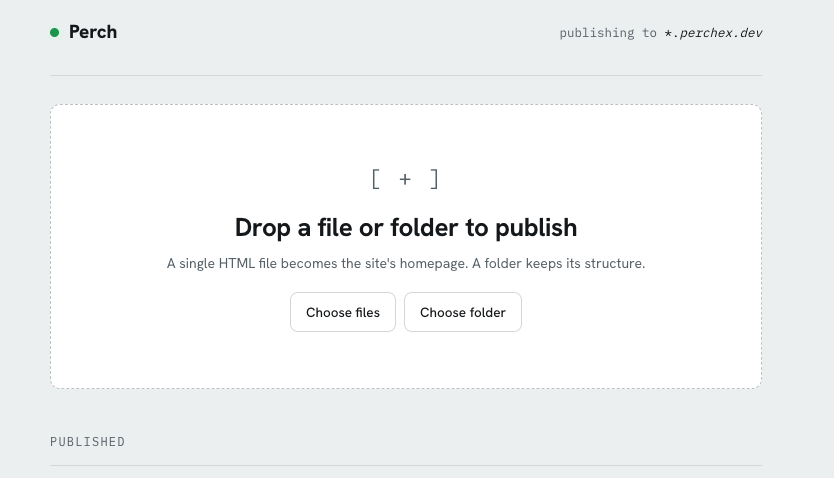
The publish dashboard at perchex.dev. Drop files, name the site, click Publish.
One Cloudflare Worker serves both the dashboard and every published site from a single wildcard route. Files sit in an R2 bucket, and Cloudflare Access handles the email-code login. The Worker also checks Access tokens on its own, so a misconfigured route can't quietly expose the upload endpoint.
There's nothing to patch and nothing running when nobody is looking. The domain registration is the only line item.
Feedback rounds start with a URL now instead of a setup conversation. Designers publish on their own, without waiting on eng or asking which staging environment to use. Stakeholders open a link, click around the real build, and respond to what they actually used rather than what they pictured from a static frame.